
Silk tutorials
Silk Air Lift, De-Harsh and Warmth: a vocal workflow by engine version
Choose useful air on a finished vocal, understand version-specific De-Harsh and Warmth behaviour, and recognise when the source needs separate repair.
On an already balanced vocal, raise Air Lift modestly in the mix, then use De-Harsh if the lift develops an uncomfortable edge. Compare the same soft phrase, loud vowel and sharp consonant. If the original vocal is simply buried, fix its level; if its esses hurt in Bypass, address the source before adding brightness.
By Spectraforge Audio3 min read
Published
Guide review: Captum Records and AS Mastering. AI-assisted writing and source checks. How these guides are made.
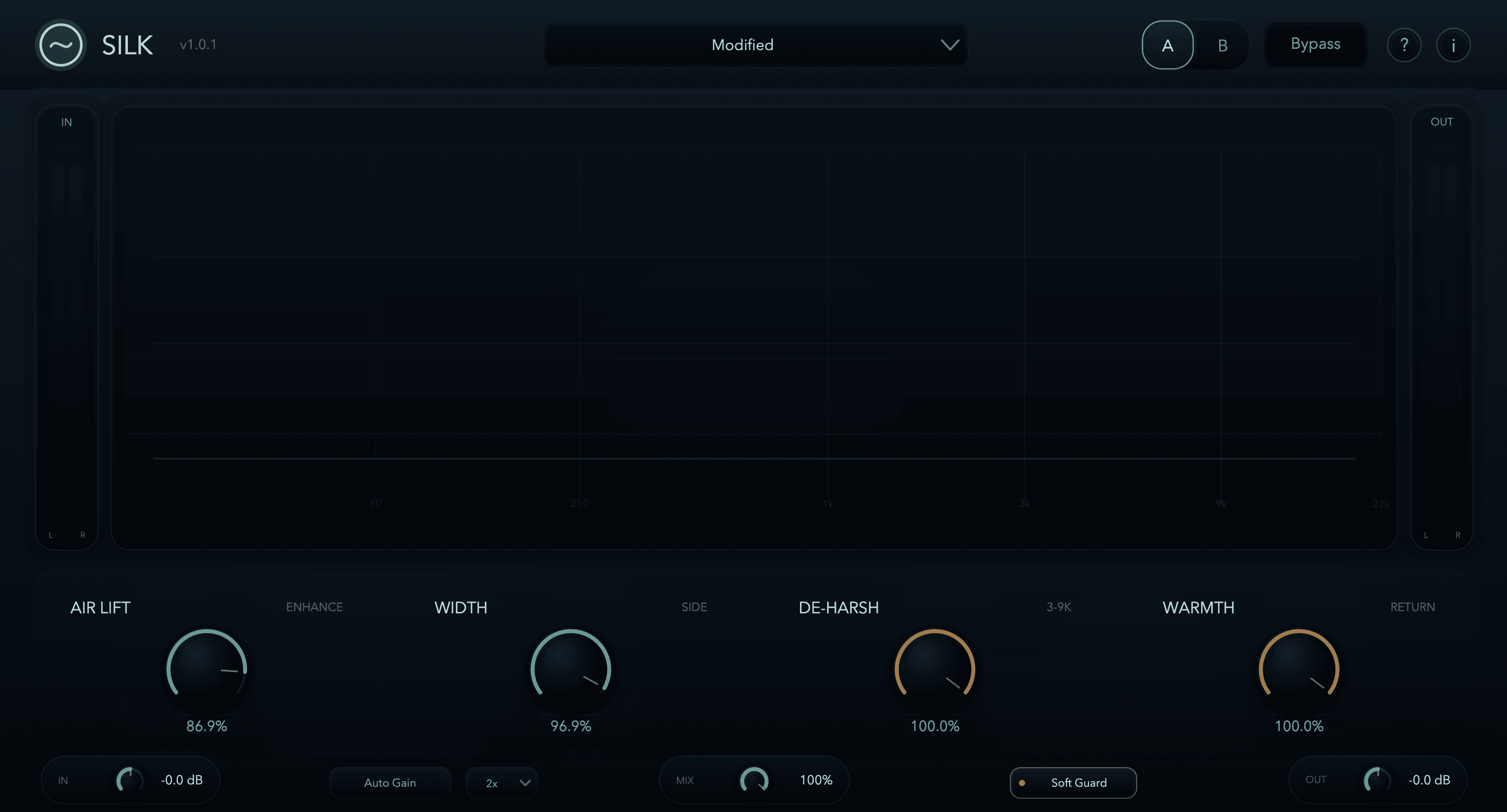
Set the useful lift first; then control its difficult moments
Check Information before following version-specific advice. Current purchase downloads include Silk 1.1.0. The retained screenshot is the 1.0.1 interface. The linked listening files are archive comparisons with unrecorded processing builds/settings; they do not demonstrate 1.1.
Establish one repeatable vocal comparison
Start from Init or inspect a vocal preset. Keep Width neutral and Warmth down, choose Quality, then enable Auto Gain. Loop a phrase ending in an S followed by a breath. Increase Air Lift while listening against the cymbals, then back off when breath detail or consonants draw attention away from the lyric.
Suggested decision: if less Air Lift restores the whole phrase, keep that simpler setting. If the useful openness remains but a loud syllable is sharp, audition De-Harsh. These are proposed listening steps on your recording, not results measured from an audio example.
Use the De-Harsh behaviour of your installed engine
In the earlier 1.0.2 engine, De-Harsh restrains added enhancement. In Silk 1.1.0, separate regions around 3–5.5 kHz and 5.5–9.5 kHz drive selective cuts in the combined wet signal, so original content can be reduced too. In both, De-Harsh follows Air Lift and is inactive at Air Lift 0%.
Repeat the soft and loud phrases after a change. If comfortable consonants come at the cost of a withdrawn vowel, ease De-Harsh or reduce Air Lift. Do not expect it to behave as an independent repair de-esser with Air Lift off. A consonant that remains uncomfortable in Bypass may need separate treatment before Silk.
Diagnose a silent Warmth control before adding more drive
Earlier Warmth needs Air Lift plus actual De-Harsh activity, because it returns controlled energy. Silk 1.1 Warmth instead generates harmonic body from lower-mid input around 150 Hz–1.2 kHz, independently of De-Harsh. It still needs Air Lift and suitable source content. A high-frequency-only source is a poor test of that Warmth return.
On a layered vocal, bring Warmth up while listening to the lead’s words between harmony entries. Keep it only if body improves without filling the useful gaps. If the warmer solo sound masks the lyric in context, reduce it. Turning up enhancement solely to make another control noticeable reverses the purpose of the finish.
Confirm the finish and protect existing projects
Let Auto Gain settle through the same passage and compare with full Bypass. Check body, consonants and the source’s position in the arrangement. Use less Air Lift or Mix when the useful effect is too strong. Set Output separately and check the downstream meter; gain matching is not peak limiting.
Before replacing an earlier build, save a project copy and render important processed tracks. Silk 1.1 Air Lift, De-Harsh and Warmth can change saved-project sound at unchanged settings, with no legacy-engine switch. Retain the earlier installer and a private backup of its working signed licence; a newly generated licence may not unlock it. Compare your own saved render before accepting the update.
Technical references
Listening exercises are proposed practice routines. Worked examples illustrate the stated setup; they are not reports of our listening tests. Editorial process and corrections.
Silk control reference · Raw and processed listening examples